
Check Your Prime Minister Awas Yojana – PMAY 2.0 HFA Urban Application Status Online ( with Aadhaar Card)
Track your housing subsidy progress online through official government portals.
If you have already submitted your application using our PMAY 2.0 complete guide, the next step is monitoring its verification status. The Ministry of Housing and Urban Affairs provides dedicated online tools to check whether your file is pending verification, approved by the local municipal body, or queued for interest subsidy release.
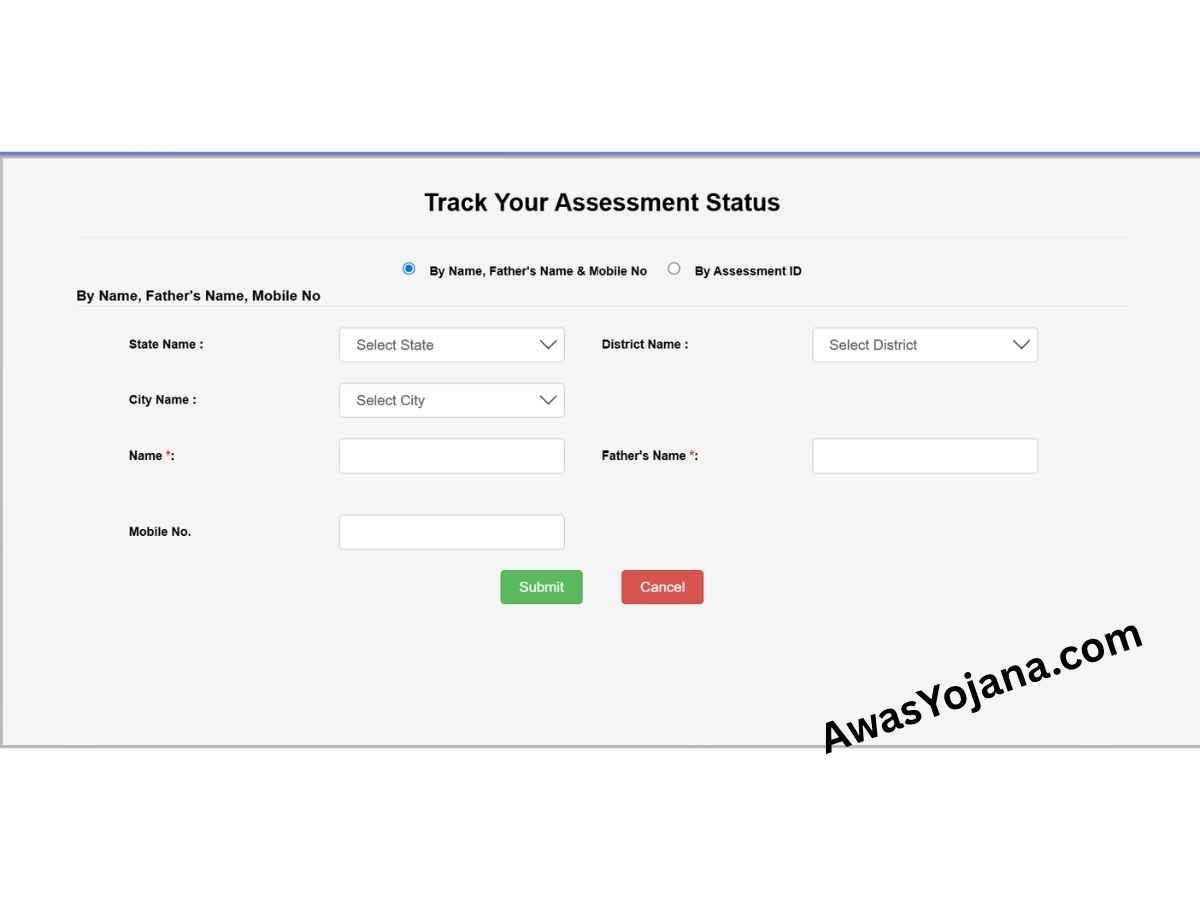
How to Track Your PMAY 2.0 Application Online
There are two official methods to view your status on the MIS portal. Choose the method based on the information you have available.
Method 1: Track By Assessment ID (Fastest Method)
When you complete your form submission, an Assessment ID is generated on the confirmation screen and sent via SMS. Using this ID gives the quickest result.
- Go to the official tracking portal at pmaymis.gov.in.
- Select the option labeled “By Assessment ID”.
- Enter your Assessment ID and your registered Mobile Number.
- Click the ‘Submit’ button to view your real-time application status.
Method 2: Track Using Personal Registration Details
If you lost or mislaid your Assessment ID, you can still check your progress using your basic personal registration information.
- Open the official Track Assessment Status page.
- Select the option: “By Name, Father’s Name & Mobile No”.
- Select your State, District, and City from the dropdown lists.
- Provide your exact Name, Father’s Name, and registered Mobile Number.
- Click ‘Submit’ to fetch your record. For full retrieval steps, read our guide on How to Find Lost PMAY Assessment ID Online.
Frequently Asked Questions About Status Tracking
Can I track my PMAY 2.0 application status using Aadhaar?
Currently, standalone Aadhaar-only tracking is being updated on the Ministry dashboard. For immediate results today, applicants should use their Assessment ID or Name + Mobile Number option. Alternatively, applicants can perform a secure PMAY portal login to view their profile details.
Why does my PMAY Urban application status show “Pending”?
After initial submission, your file is assigned to your local Municipal Corporation or Urban Local Body (ULB) for physical document verification. It is normal for status updates to remain “Pending” for a few weeks while officials verify your PMAY 2.0 eligibility criteria and income bracket documents.
If you are building a home on land you own under the BLC vertical, check our guide on the PMAY Urban 2.0 BLC Scheme Subsidy, or read central funding highlights in our PMAY Urban 2.0 Budget Allocation Updates.
PMAY 2.0 list 2026 PDF Download.
Beneficairy Application PDF Download